
A Companion Node is a device that connects you to the Meshcore network.
It allows you to send and receive messages using the mesh — often via an app on your phone, or directly on the device for standalone units.
Companion nodes are designed to be:
- Portable
- Easy to use
- Not dependent on central infrastructure
- Accessible for everyday use
Some companion nodes require a phone to work, while others are standalone devices you can use on their own.
⚠️ Important:
Always choose 915 MHz LoRa radios for devices used in Canada.
📱 Phone-Connected Companion Nodes
These devices depend on a phone app (such as Meshcore apps) to provide the user interface, contacts, messaging, and configuration. The device itself handles the mesh radio and communicates with your phone over Bluetooth.
🛒 Off-The-Shelf Option: T1000-E Tracker
A ready-to-use handheld companion device that pairs with your phone:
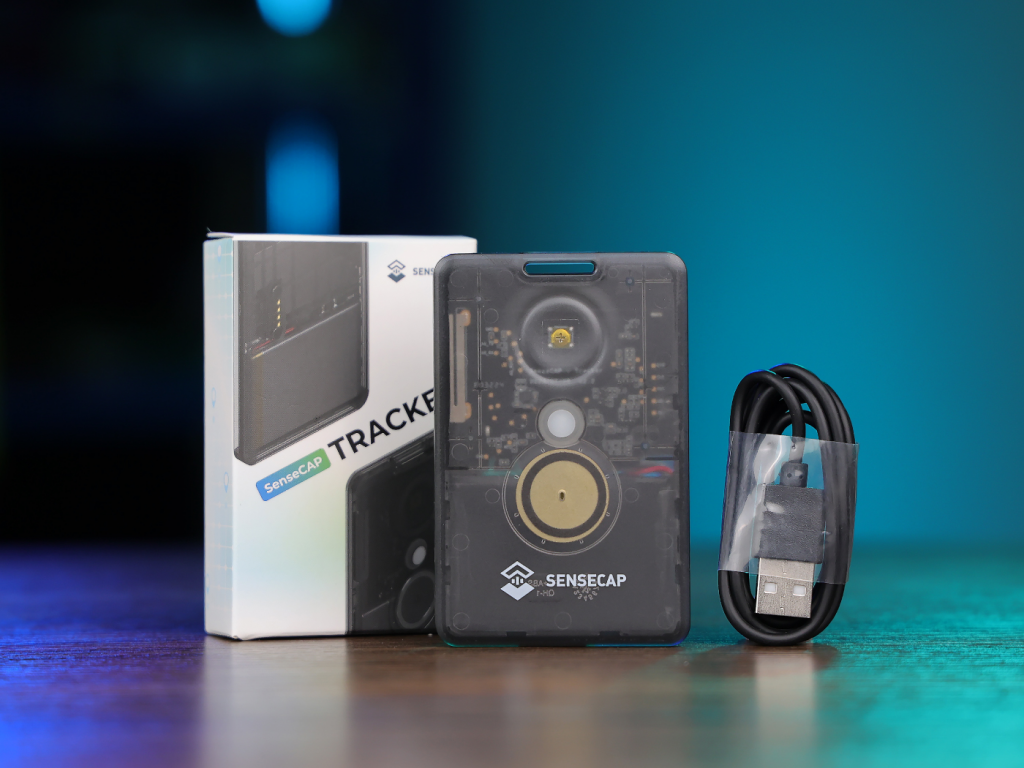
- Designed for LoRa mesh communication
- Pairs with a smartphone for UI
- Portable and rugged
➡️ Example product page (Aliexpress)
Pros
- Easy setup out of the box
- Comfortable handheld form
- Works with phone app for messaging
Cons
- Requires a smartphone for day-to-day use
🛠 DIY Option: Heltec V3 Based Companion Node
Perfect for makers and tinkerers. Builds your own companion node using a Heltec board.
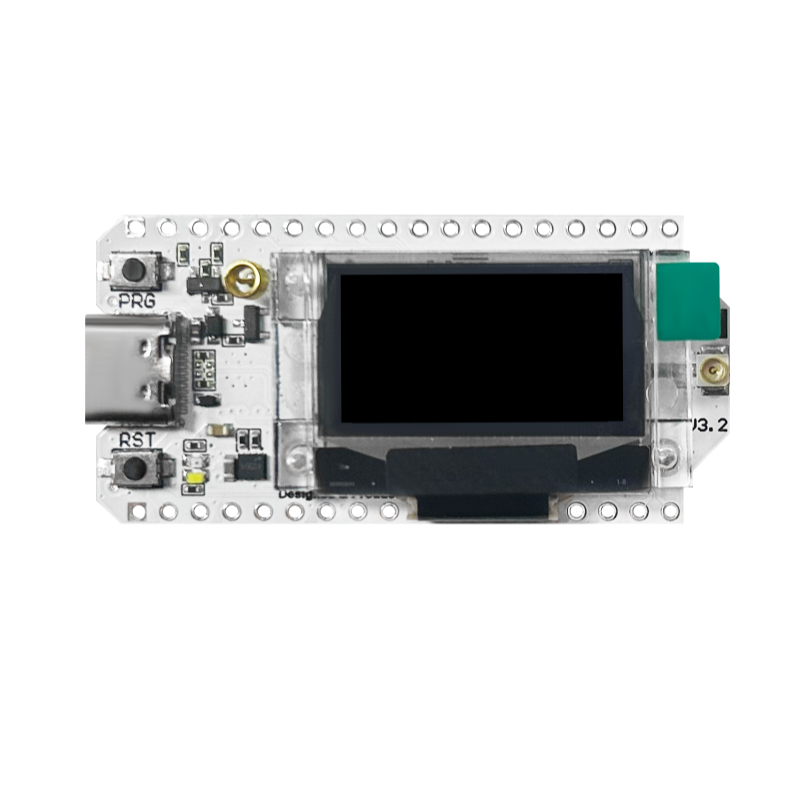
What You’ll Need (example)
- Heltec V3 LoRa board (915 MHz) — low-power and Bluetooth capable
- Battery: 2000 mAh Li-ion or LiPo
- Battery protection / charger circuit (recommended)
- Weather-resistant or handheld enclosure
- USB-C cable for power
- External antennas for:
- 915 MHz LoRa
- 2.4 GHz Bluetooth
Quick Overview
- Flash Meshcore-compatible firmware on the Heltec board
- Attach an external LoRa antenna for reliable range
- Mount the battery and charging circuit safely in an enclosure
- Pair with your phone app via Bluetooth for messaging and setup
📌 Pros
- Cost-effective
- Learn-by-doing
- Highly customizable
⚠️ Cons
- Requires soldering and basic electronics
- Firmware setup requires some familiarity
Link to Aliexpress Store (two boards with cases and internal antenna)
📡 Standalone Companion Devices (No Phone Needed)
Standalone devices let you send and receive messages without needing a phone for the user interface. These are great for users who prefer a single device experience.
📍 Example: Lilygo T-Deck Plus
A more advanced handheld that supports mesh applications without relying on a phone:
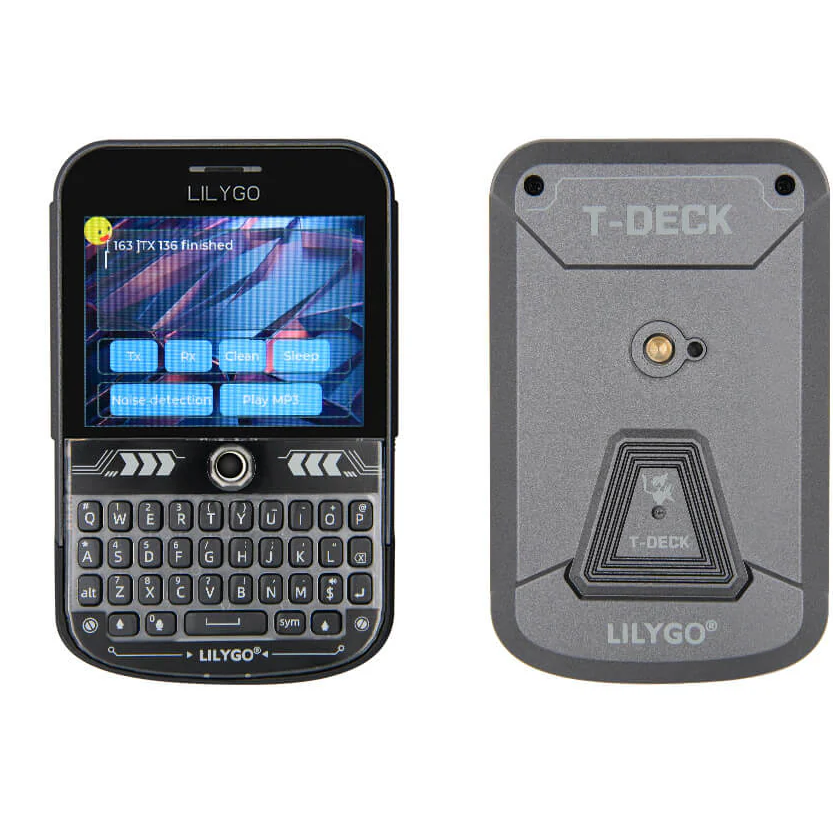
- Standalone handheld LoRa device
- Runs mesh apps natively on device
- Larger screen, richer UI
Link to Aliexpress Store. (Internal antenna; 915mhz)
Companion Device Tips
📡 Choose 915 MHz LoRa Modules
In Canada, 915 MHz LoRa is the legal frequency band for these networks. Always check frequency compatibility before purchasing.
📶 Use External Antennas When Possible
- 915 MHz LoRa antenna: Greatly improves range and reliability; but will come at the cost of portability/pocket-ability
- 2.4 GHz Bluetooth antenna: Helps with Bluetooth connectivity during setup. Not required for companion devices.
Built-in antennas are fine; especially for experimenting or in well covered areas; but external antennas make real-world use much better.
What Companion Nodes Let You Do
Once set up and connected to the Meshcore network, companion devices allow you to:
✔ Send and receive messages
✔ See network status (in app or device UI)
✔ Connect through nearby repeaters
✔ Use the mesh even during internet or cellular outages
They do not form part of the long-range backbone — that’s the role of repeater nodes.
Getting Started
If you’re new to companion nodes:
- Decide if you want an off-the-shelf or DIY device
- Confirm you are using 915 MHz LoRa hardware
- Flash the correct firmware (Meshcore)
- Pair with your phone or use the device’s UI
- Start sending/receiving messages
Companion nodes are your personal access point into the mesh — and they’re one of the easiest ways to get involved!