
Offline Maps for Meshcore & Meshtastic
🗺️ These offline map bundles are compatible with Meshcore and Meshtastic. They allow supported devices to display maps without internet or cellular service, making them useful during outages, emergencies, or off-grid operation.
Maps are provided by county and can be used on handheld companion devices or fixed nodes that support offline map display.
📖 For details on supported formats, setup steps, and device-specific instructions,
see the official Meshcore documentation:
Meshcore Maps FAQ – How do I get maps on T-Deck?
How to Choose the Right Map
- 📍 Choose your home county if you primarily operate in one area.
- 🚗 Download neighboring counties if you travel or move between regions.
- 💾 Storage space matters — larger counties mean larger map files.
- 📱 Phone-linked or handheld devices may support more storage than standalone units.
💡 While multiple maps can be stored for convenience, you’ll need to select or switch the active map on your device when changing areas.
⬇️ Use the interactive map below to download maps by clicking a county, or scroll down for a text-based list of all available downloads.
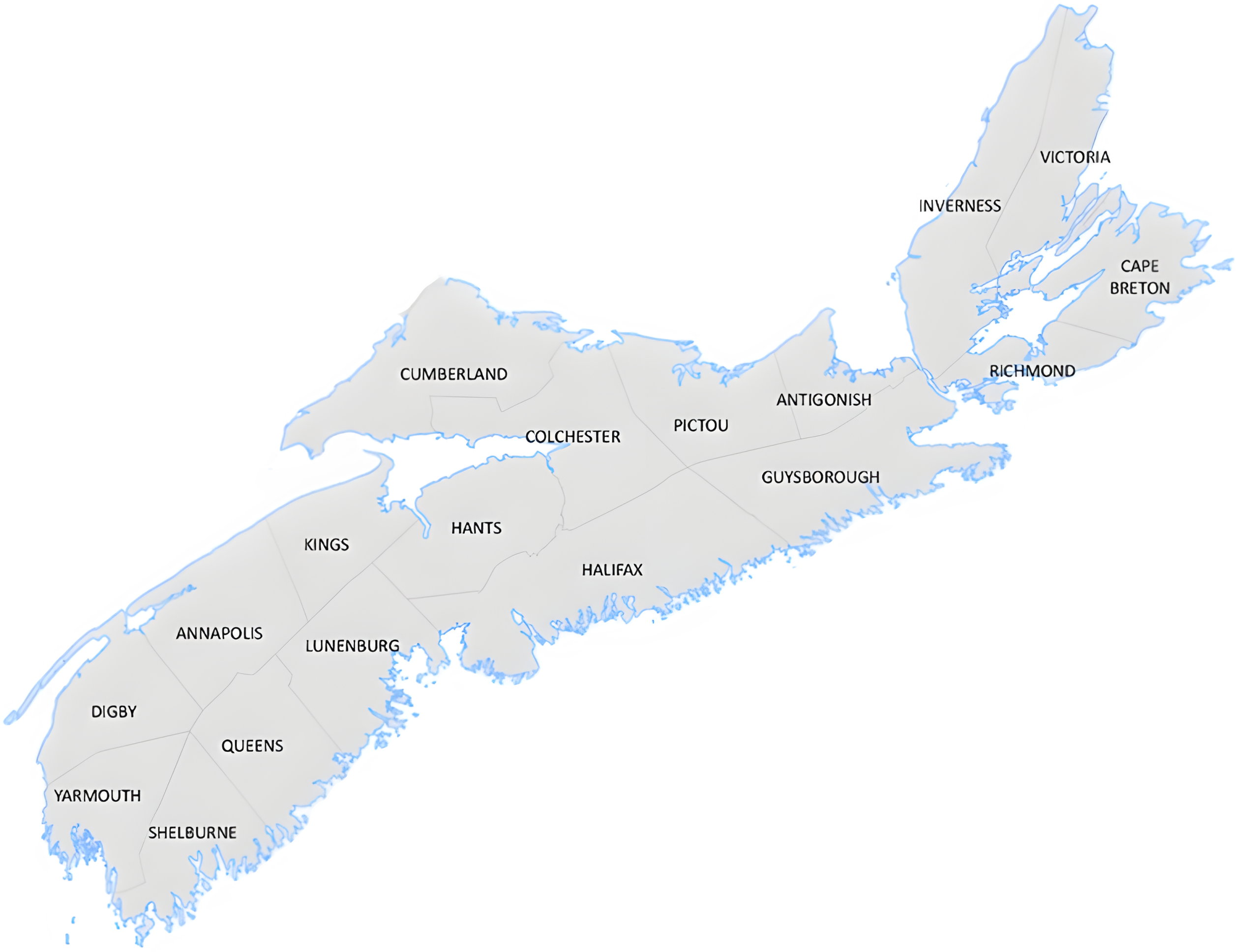
Download Maps by County
If you prefer, you can also download maps using the links below:
- OpenTopoMap – Yarmouth County
- OpenTopoMap – Shelburne County
- OpenTopoMap – Queens County
- OpenTopoMap – Lunenburg County
- OpenTopoMap – Digby County
- OpenTopoMap – Annapolis County
- OpenTopoMap – Kings County
- OpenTopoMap – Hants County
- OpenTopoMap – Halifax County
- OpenTopoMap – Colchester County
- OpenTopoMap – Cumberland County
- OpenTopoMap – Pictou County
- OpenTopoMap – Antigonish County
- OpenTopoMap – Guysborough County
- OpenTopoMap – Richmond County
- OpenTopoMap – Inverness County
- OpenTopoMap – Victoria County
- OpenTopoMap – Cape Breton County
📦 All map files are provided as ZIP archives. Extract the contents before copying them to your device’s storage or SD card.